 Oplæs
Is Speechify worth it?
It can be, if you listen to long texts every day and want natural voices in many languages. The people who love Speechify Premium are students with piles of reading and readers with dyslexia or ADHD, and for them $139 a year buys a lot of listening. If you only want a text read aloud now and then, it probably isn’t worth it. Speechify itself calls the free plan’s 10 voices robotic sounding, and the iPhone’s Speak Screen reads any text aloud for free. If you do try Premium, watch the free trial: the most common complaint in the newest App Store reviews is a yearly charge that arrived when it ended.

What you get, free and paid
Speechify’s pricing page lists two plans. The free one gives you 10 voices it describes as robotic sounding, speeds up to 1.5× and text to speech only. Premium adds more than 400 natural voices in more than 60 languages, speeds up to 5×, Scan & Listen for printed pages, AI summaries and chats, and imports from Google Drive, Dropbox and OneDrive.
Premium costs $29 a month or $139 a year on speechify.com. In the iPhone app, the US App Store lists it as an in-app purchase of $139.99, and several reviewers say the app only offered them the yearly plan. Prices in other countries differ, so check the App Store listing for yours.
Speechify’s plans, side by side
Free
$0
- 10 voices Speechify calls robotic sounding
- Up to 1.5× speed
- Text to speech only
Premium, monthly
$29a month
- $348 over a year
- 400+ natural voices, 60+ languages
- Up to 5×, scanning, AI summaries
Premium, yearly
$139a year
- $139.99 in the US App Store
- The plan the free trial turns into
- Cancel at least 24 hours before the trial ends
What reviewers say
On the US App Store, Speechify has 4.7 stars from 528,818 ratings. The newest written reviews are far less happy. I read the 150 most recent, written between 15 October and 12 November 2026: more than half gave one star, and only 22 gave five.
4.7 stars overall, but the newest reviews are harsher
528,818 ratings on the US App Store
What the low ratings are about
The same complaints keep coming up:
- The free trial turned into a $139.99 yearly charge. Some say they had asked to be reminded before the trial ended and never were.
- During setup they picked a voice they liked, then got the robotic free one unless they paid.
- The sign-up takes a long time before you ever see a price.
- Scanning a book means photographing every page, which isn’t what the ads led them to expect.
- Books in Speechify’s library cost extra on top of Premium.
- Reading stops when you leave the app, or doesn’t work offline on a plane.
The five-star reviews come from a different crowd. Law and PhD students say it saves them hours on their reading, and parents and readers with dyslexia or ADHD say it lets them keep up. Bear in mind that people with a problem are the most likely to write a review. The 4.7 average comes from far more people, and most of them never wrote a word.
Worth it, or not
Worth it if listening is how you get through your reading: an hour or more most days, like the law students in the reviews. It also earns its price if you read in several languages, want lots of natural voices to choose from and speeds well above 2×, or use the summaries and the Chrome extension on a computer as well as on your phone.
Not worth it if you only need a text read aloud now and then; Speak Screen does that for free. Skip it too if your reading is mostly your own PDFs and articles in one or two languages, or if you’d rather not have a subscription you have to remember to cancel.
If you try it, don’t get caught by the yearly charge
The trial becomes a paid year unless you cancel. Apple says to cancel at least 24 hours before the trial ends. You can do it the same day you start:
- Open Settings and tap your name.
- Tap Subscriptions, then Speechify.
- Tap Cancel Subscription.
Apple’s guide. If you subscribed on speechify.com, cancel in your account settings there instead. Speechify’s guide. Charged for a year you didn’t mean to buy? You can ask Apple for a refund at reportaproblem.apple.com. Apple’s guide
More on the plans in is Speechify free?
Cheaper ways to have text read aloud
Your iPhone already reads any screen aloud, for free and in many languages: see how to make your iPhone read text aloud. For long texts, several apps cost less than Speechify. I compared them in Speechify alternatives for iPhone.
I made Oplæs for long English and Danish texts. It reads PDFs, ePub books, articles from Safari and photos of printed pages in natural voices that run on the iPhone itself, so it works offline, and it highlights each word as it reads. There’s a sleep timer for listening in bed. You pay $4.99 once, so there’s no subscription and no trial to keep track of. It only reads English and Danish, though, while Speechify covers more than 60 languages.
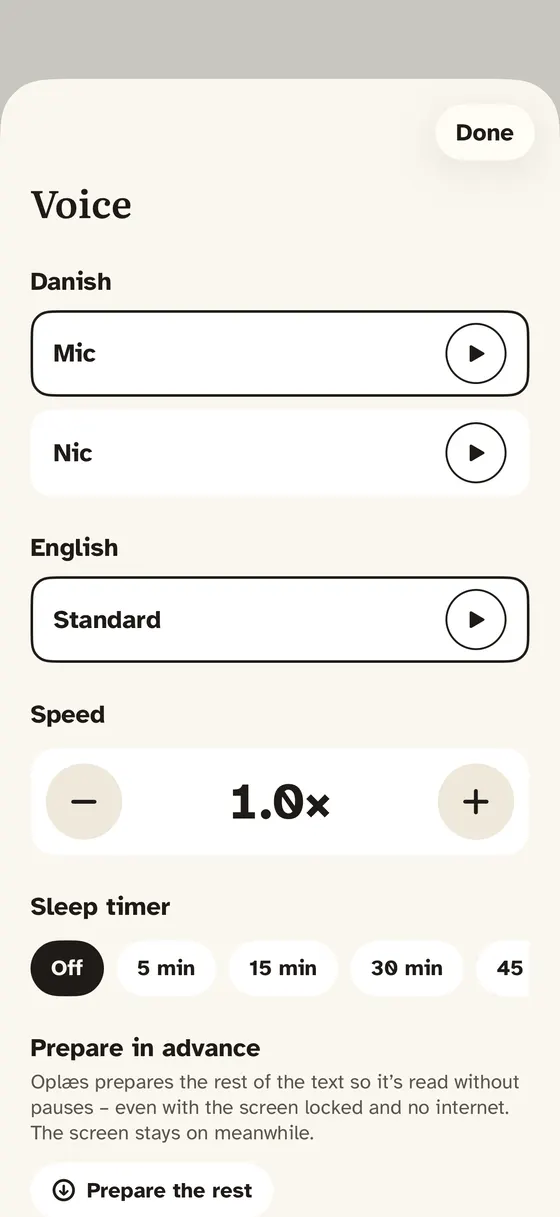 1Voices that run on the iPhone2Sleep timer3Works offline
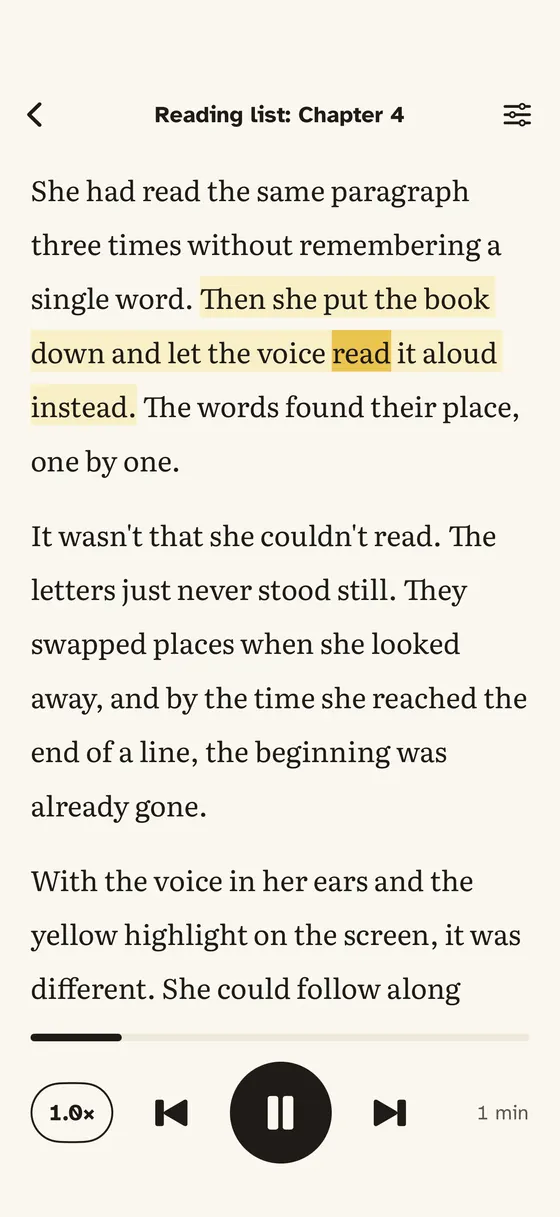 4Every word highlighted
- Voices that run on the iPhone
- Sleep timer
- Works offline
- Every word highlighted